
Which AI has the best memory? Six assistants compared
Every assistant remembers you now, and each one remembers a different slice. We compare six of them, then show how to use them all with one memory.
Configure · · 6 min read
In short
- No single AI has the best memory. ChatGPT is the most hands-off, Claude is the easiest to inspect, and Gemini reaches furthest into your Google apps.
- Each assistant’s memory stops at its own edge, so the more assistants you use, the more each one is missing.
- With Configure you keep one memory that belongs to you and connect it to the assistants you use, so you get the strengths of each without starting over.
- All six can connect to Configure, so each one can save what it knows about you to the same memory.
No single AI assistant has the best memory. As of November 2026, ChatGPT is the most hands-off, Claude is the easiest to inspect and keep separate by project, and Gemini reaches furthest into your own Google apps. Each remembers a different slice of you and none of them shares it, so the best memory is one you keep yourself and connect to all of them.
We build Configure to do that. Configure is infrastructure for connecting agents, apps, and chats, so the assistants you use can share one memory that belongs to you. The comparison below is taken from each company’s own help pages, which we read on November 17, 2026. After the comparison, we show how to use all of them without explaining yourself again.
How do the six assistants compare?
| Assistant | How it remembers you | What you can see and change | Connects to Configure |
|---|---|---|---|
 ChatGPT | A running summary of you, saved memories, past chats, files and connected apps | Correct the summary, delete a memory, turn memory off, use a Temporary Chat | Yes |
 Claude | Memory stored as topics, search of past chats, and a separate memory for each project | Read and edit every topic, pause or reset, chat Incognito | Yes |
 Gemini | Past chats, things you ask it to remember, a memory summary, and your Google apps | View and edit the summary, turn memory off, use a Temporary Chat | Yes |
 Grok | Preferences and past conversations, according to its product page | No official help page describes the controls. Private Chat is documented | Yes |
 Perplexity | Memories and search history, each with its own switch | Search, filter and delete memories, see which ones an answer used, go Incognito | Yes |
 Muse | A memory file it keeps about you and updates as you work | Open and edit the file, ask it to forget a topic, or reset everything | Yes |
All six connect to Configure. ChatGPT and Claude list it in their own directories. Gemini, Grok and Perplexity take it as a custom connector, and Muse connects itself when you give it the address. How to add Configure to your assistant has the steps for each, with pictures.
ChatGPT: the most hands-off
ChatGPT asks the least of you. It draws on past chats, saved memories, custom instructions, saved files and connected apps, depending on your plan and region. Since June 2026 it has also kept a summary of you that it updates continually. You can correct that summary, delete a saved memory, or tell it not to mention something again, and a project can be set to use only its own memory. OpenAI’s memory page has the details.
Claude: the easiest to inspect
Claude stores memory as individual topics, and you can open, read and edit each one under Settings. Memory is on by default on free and paid plans. Every project has its own memory, and one project never sees another’s. Searching past chats is a paid feature, and when Claude does it the search shows up as a visible step in the reply. Anthropic describes all of this on its memory and chat search page.
Gemini: the most connected to your own data
Google groups Gemini’s memory under the name Personal Intelligence. That covers past chats, things you ask it to remember, a memory summary, and connected Google apps such as Gmail, Photos and YouTube. If your life is already in Google, that counts for a lot. The catch is where you live: the memory summary and connected-app personalization are not offered in the European Economic Area, Switzerland or the UK. See Google’s overview.
Grok, Perplexity and Muse
Grok’s product page lists memory across chats, but we found no official help page for the controls. Perplexity keeps Memories apart from search history and shows which memories an answer used, per its memory page. Muse is Meta’s agent. According to Meta’s help page, it keeps what it knows about you in a memory file you can open and edit. Microsoft’s Copilot is not in our table, but it also saves memories you can list and delete in its settings.
Which AI should you choose for memory?
| If you want | Choose |
|---|---|
| It to just know you, with no effort | ChatGPT |
| To see and control what it knows | Claude |
| Your email, photos and files in Google included | Gemini |
| Memory while you search | Perplexity |
| An agent that keeps working notes on you | Muse |
The trouble with that table is that most people fit more than one row. You might draft in one assistant and do your research in another, because each is the best at something. If you pick one for its memory, you give up what the others are good at.
Why is no assistant’s memory enough?
Because each one stops at its own edge. None of these companies’ help pages describe its memory working inside another company’s assistant, and OpenAI says outright that signing in to another product with ChatGPT does not share your memory with it.
So the more assistants you use, the more each one is missing. One builder described it well: one assistant knew some things about them, a second knew others, and a third knew almost nothing. Every AI app you try has the same gap. It starts from zero, however much you have told the assistant you use every day.
That costs more than it seems to. Without memory you get the answer anyone would get. With it, the answer can fit your work, the people you mention and how you like things written. Even an assistant with a brilliant model makes you repeat yourself if it has no memory of you.
How do you get the best of all of them?
Keep your memory in one place that you own, and connect the assistants to it. With Configure it goes like this:
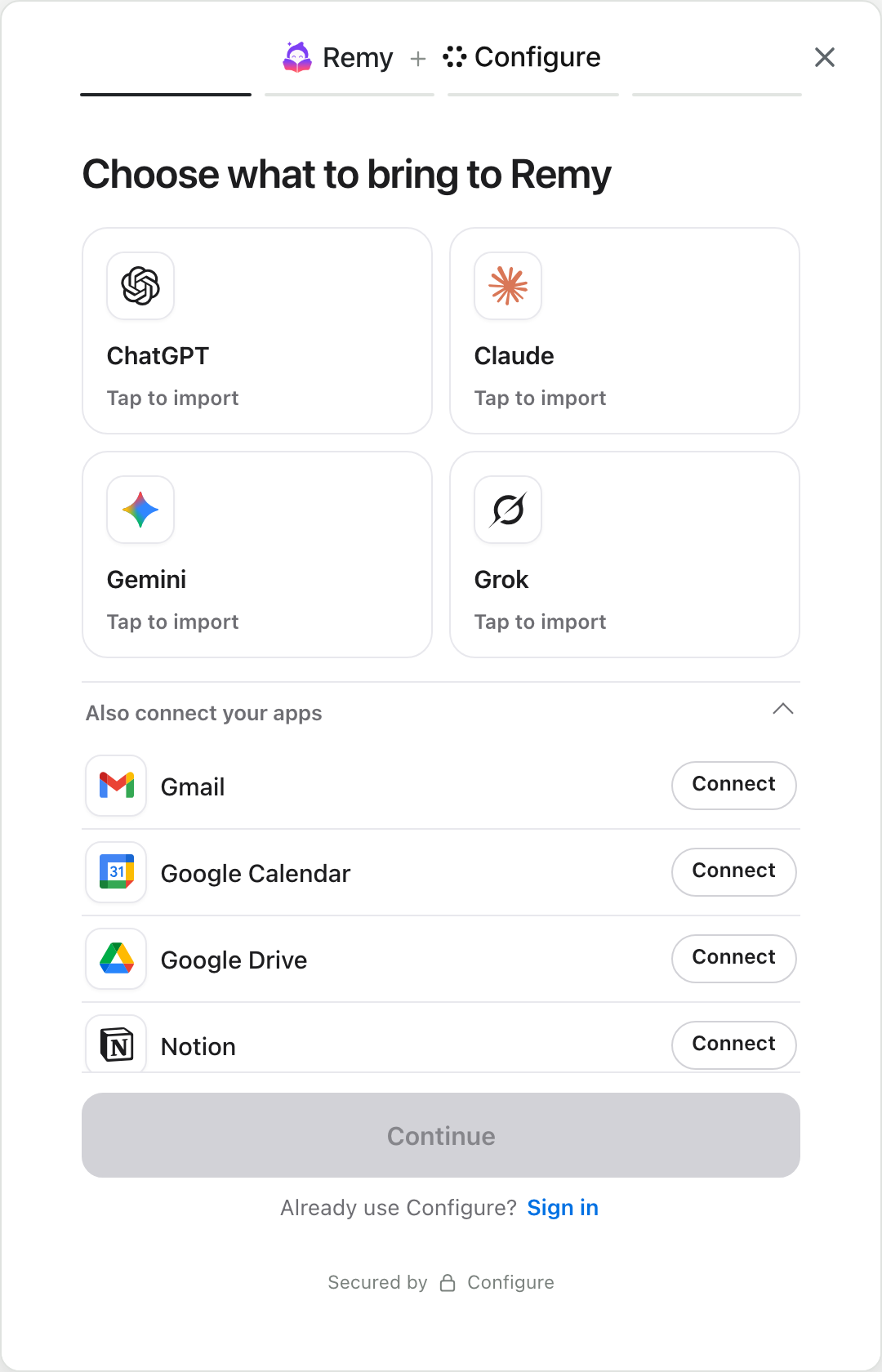
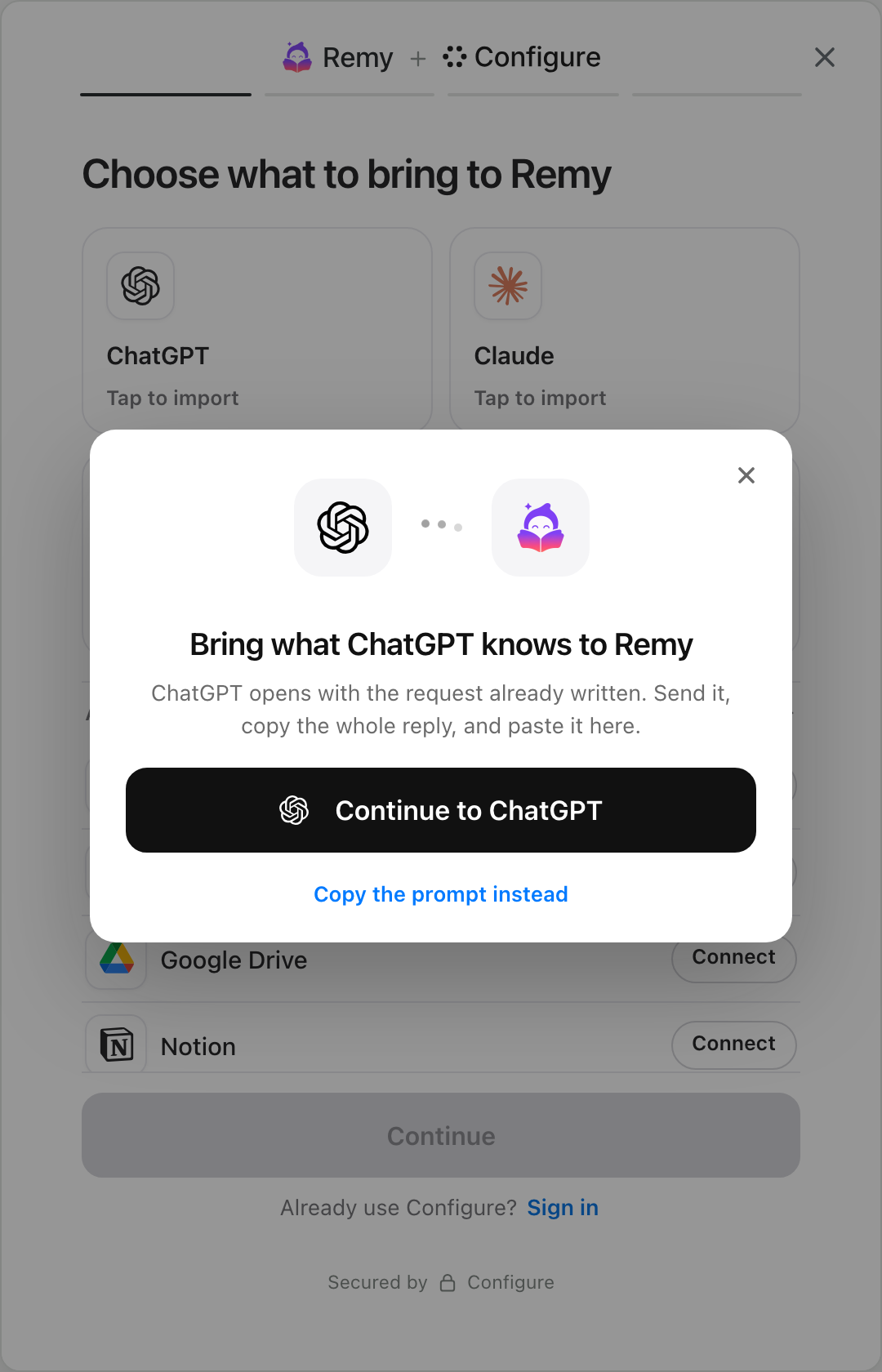
- Connect Configure to the assistants you use. ChatGPT and Claude both have an official Configure connection, and any assistant that accepts a custom connector can add it by address.
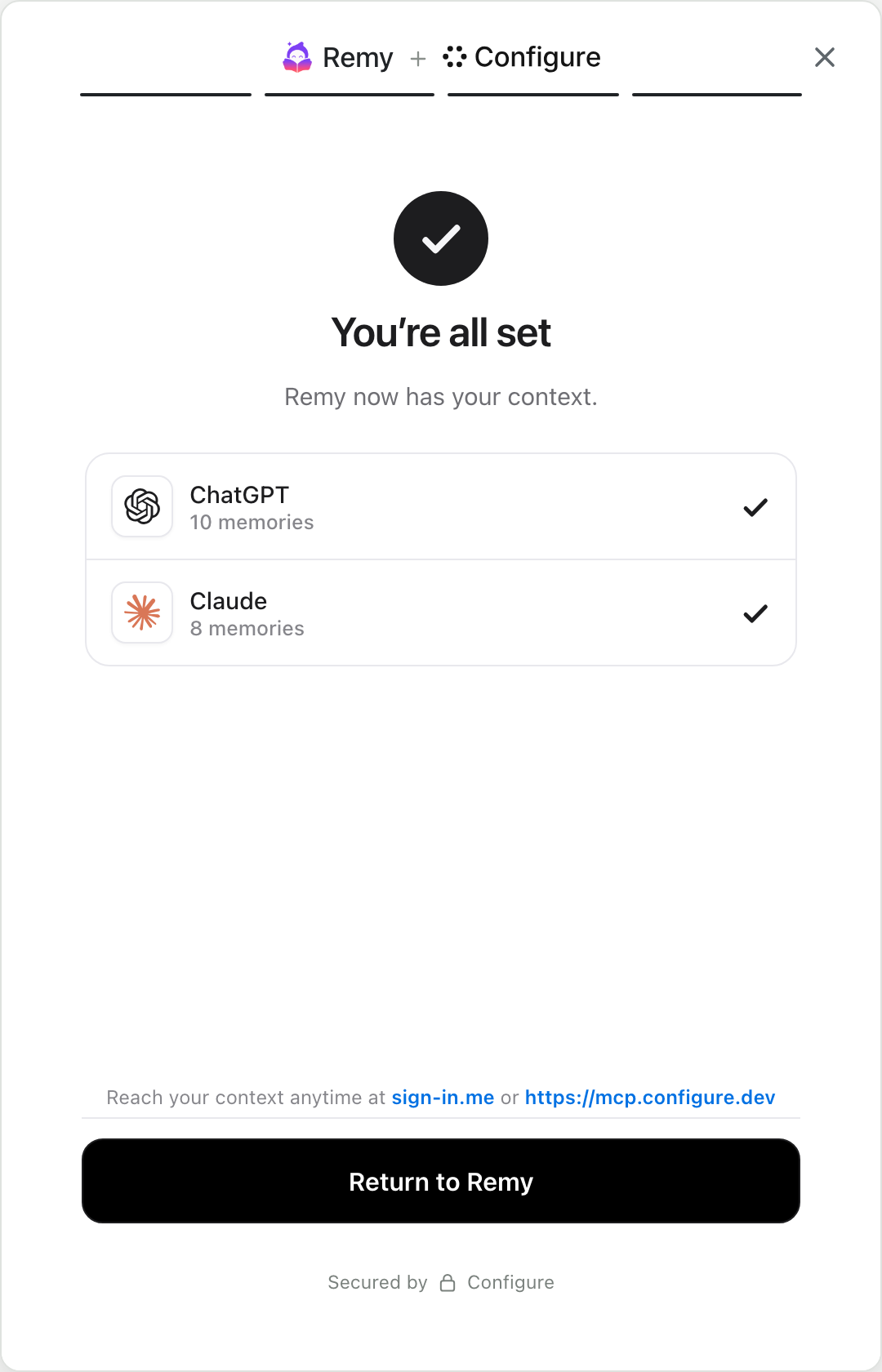
- Ask each one to save what it knows about you. It writes that to your Configure profile directly, so there is nothing to copy or paste.
- Then carry on as normal. A connected assistant can look up what it needs about you, and it saves a new fact when you ask it to keep one. What you tell one is there for the others.
You keep ChatGPT’s ease, Claude’s projects and Gemini’s reach into your Google apps, and you no longer have to pick one. The memory stays yours. One page shows every memory and which assistant saved it, and from that page you can edit, delete or disconnect. Start with one of these:
The step-by-step version, with the request to send and the address for other assistants, is in How to import ChatGPT memory into Claude.
Does this work in apps as well as assistants?
Yes, and we think that is where it pays off most. The same memory can go with you into products built on any model, such as an app builder, a research tool or a writing app. A product that supports Configure shows a connect button. Once you approve the product, it starts from what you have already shared and does not need to ask you twenty questions. If you build one of those products, the quickstart shows how to add the button.
So which AI has the best memory?
Whichever one you connect to a memory of your own. Each assistant’s built-in memory is good inside that assistant and absent everywhere else. Once they share one memory you can stop ranking them, and use ChatGPT, Claude and Gemini for what each does best. Portable AI memory explains the idea in more depth.
Add a connect button to your product
The quickstart takes one page, end to end: a chip in your app, Configure's hosted page, and your agent reading the user's context on the first turn.
Read the quickstartAbout Configure. Configure is infrastructure for connecting agents, apps, and chats. People bring the context they already have, and the products they approve start from it. More about Configure.
More from the blog
All posts

MemoryPlugin alternatives: MemoryPlugin vs Configure
MemoryPlugin adds a memory to the AI sites you visit. Configure connects your assistants, your apps and the products you sign up for.
How to add Configure to ChatGPT, Claude, Gemini and more
Pick your assistant. Each one takes a couple of minutes, and the steps show the real screens.

Mem0 alternatives: Mem0 vs Configure, and when to use each
Mem0 gives one agent a memory. Configure connects your agent to what a user’s other agents and apps already know, with a memory system built in.
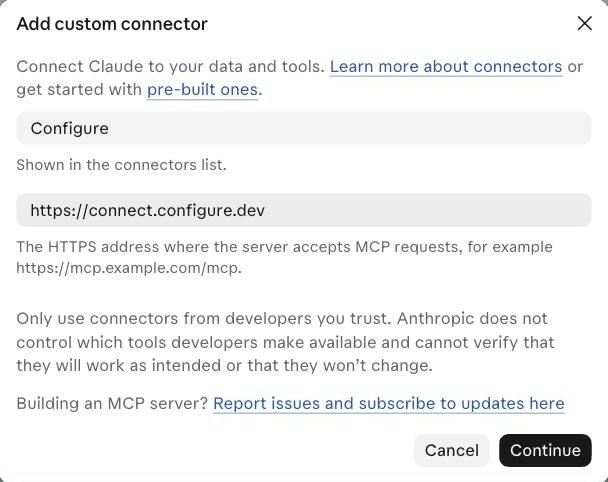 This is the box in Claude. The one in Gemini asks for the same two things.
